Desktop or cloud software: which one suits your business
Installed on the computer or opened from the browser: each path has advantages and fine print. We walk through the real criteria we use to decide, with the Atlantic Center case as an example.
When a business needs its own system, the question almost always arrives the same way: "am I better off with an installed program or something online?" The honest answer is that it is almost never a choice between two things: it is a choice between where the work happens and where teams stay in sync. And often the best combination uses both.
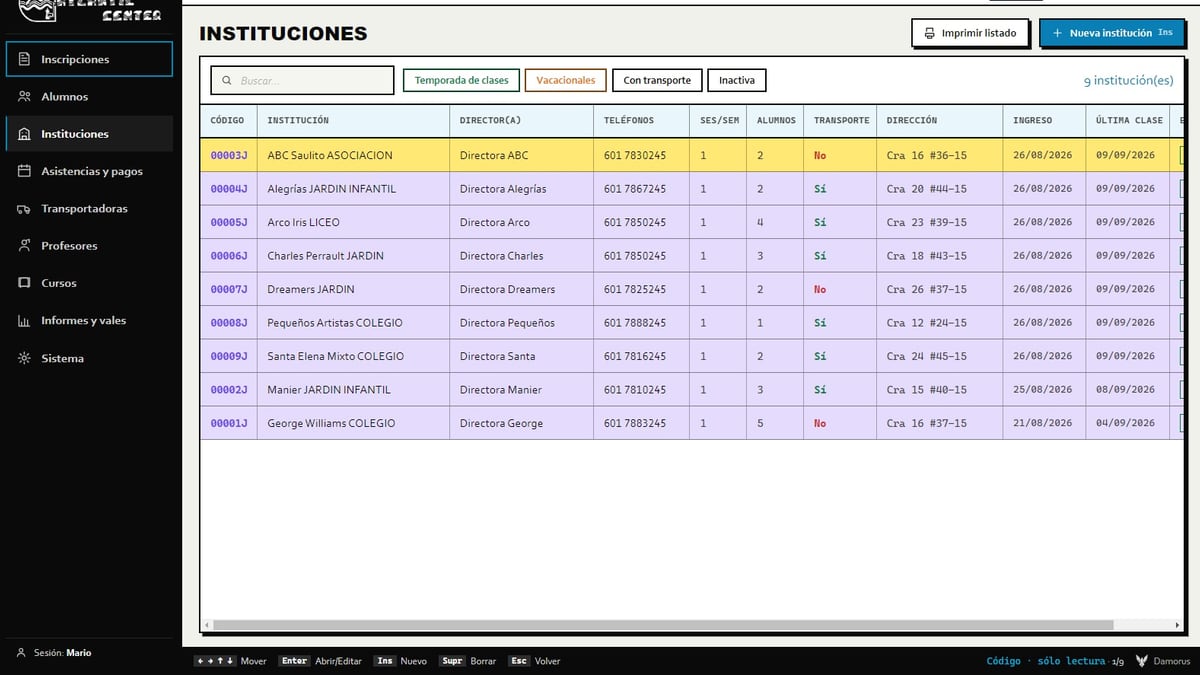
We learned this building the system for Atlantic Center, a swim school in Teusaquillo that was coming from a custom program built in 1996, in the middle of the DOS era. That program worked, and fast, but it lived on a single machine: two people could never work at the same time, and if that computer failed, the entire history of students, payments, and balances went with it.
Three ways to build a system
- Pure desktop. The program installs on the computer and everything lives there. Fast and private, but it only exists on that one machine.
- Pure cloud. The system lives online and opens from the browser. You can reach it from anywhere, but it depends on the connection and on guarding the front door very well.
- Local-first (both). You work on the computer, and the cloud exists so teams can stay in sync and so a copy gets saved. If there is no signal, work keeps going; once it returns, whatever was pending gets uploaded.
Atlantic Center is the third case. The client asked for it clearly from the start: both computers seeing the same information, everything still running without internet, and whatever was pending uploading itself once the signal came back. We designed it that way from day one, not as a patch added later.
What a desktop program gains you
- Starts instantly and never chokes. Atlantic's student list handles thousands of rows without a hitch, because it only draws the ones that fit on screen.
- Keeps working without internet. Changes wait in a queue and go out on their own once the connection returns.
- Does not expose the information at a public address. That is the difference that matters when you handle sensitive data.
- Respects keyboard speed. Someone who has spent years moving with Ins, Enter, and Esc does not have to relearn their own job.
- Allows different user permission levels without depending on someone remembering to log out of a shared browser.
At Atlantic, those advantages were not a technical preference: they were conditions. The administrative staff moved by keyboard almost without looking at the screen, and a pretty but slow interface would have been a step backward. A new tool earns trust when it lets people work the way they already knew how, just with more support behind it.
What the cloud gains you
- Several people seeing the same thing, at the same time. At Atlantic, while one staff member helps a parent at the front desk, the other reconciles payments, and both are up to date.
- Access from wherever you are. You can check the real state of the business without going to the office.
- Off-site backup. A copy that a theft or a virus on the local computers cannot reach.
- Nothing to install. You just log in, on any authorized computer.
- Grows with you as you add people, shifts, or locations.
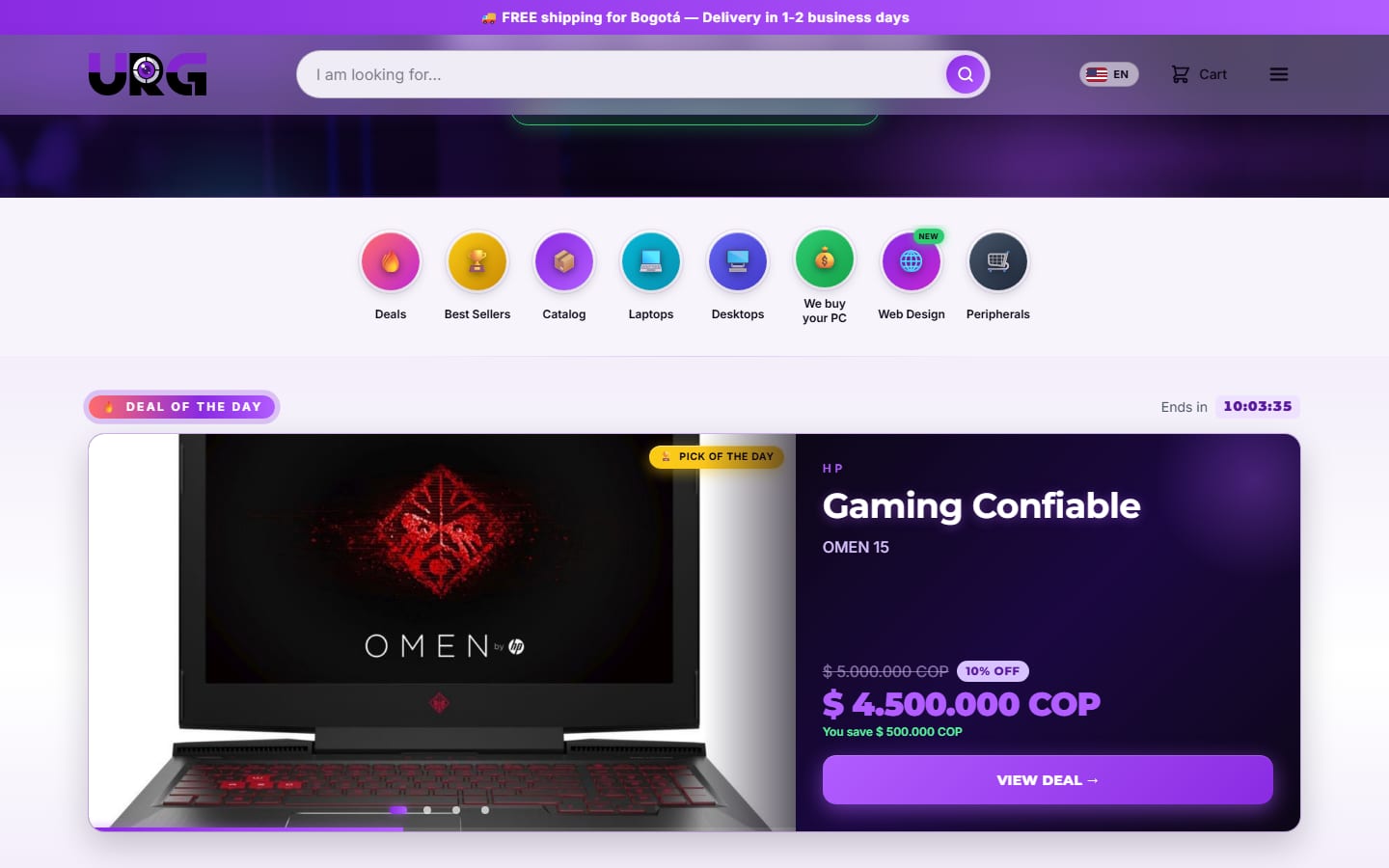
We saw the other side of the cloud at URG Technology: a store has to charge, reserve stock, and send notifications even when nobody has a screen open. There, the critical work moved to the server, and with that the store stopped depending on someone being awake. If your business sells or serves customers outside office hours, the cloud is not a luxury: it is the requirement.
What nobody tells you about desktop software
An installed program has a challenge a website does not have: reaching every computer and staying current. We solved it with over-the-air updates: on launch, the program checks for a new version, downloads only the parts that changed, and applies it the next time it reopens, with a green dot as the signal. That is how versions 1.6 through 1.9.0 arrived on their own.
Then something happened that no manual warns you about: the client installed the program inside their iCloud folder. When an update arrived, a flood of permission windows popped up and the program broke. Two problems were stacked on top of each other: iCloud syncs and renames files while the updater is trying to replace them, and deleting the folder is not the same as uninstalling, because Windows still remembered the original location. We rebuilt the installer to be guided: it asks where to install and shows its progress, just like the uninstaller does.
What nobody tells you about the cloud
Putting the system online opens a door, and that door has to be guarded. In the URG panel that meant invisible anti-bot verification, a wait that doubles with every failed password, two-factor authentication with a temporary code, and decoy routes to flag anyone snooping around. It is not paranoia: it is the price of being reachable from anywhere.
And there is a question almost nobody asks in time: whose account do your data actually live in? At Atlantic, the client asked to move the study's database to an account of their own. There were two paths: create a new project and migrate everything, or transfer the whole project while keeping its address and its keys. We chose to transfer, so the application kept working without changing a single line of code or touching a single computer. There was no downtime, and today the data belongs to the client.
Privacy also drives the decision. At Atlantic there is no public web version on purpose, and the portal for parents to check balances stayed as a future phase, because it requires carefully thinking through the privacy of minors. Colombia's Ley 1581 de 2012 requires ensuring respect for the prevailing rights of children and adolescents in the handling of their personal data. [1] That single requirement mattered more than the convenience of opening the system from any browser.
Seven questions to decide
- 1How many people work on the same information at once? Just one, desktop is enough. Two or more, you need synchronization.
- 2How reliable is your internet? If it drops often, the work cannot depend on the signal.
- 3Do you handle sensitive data? Minors, health, or payments raise the privacy bar and tend to push you toward desktop or toward very tightly controlled access.
- 4Does your team work the keyboard at full speed? If so, preserve that way of moving: changing it costs money in lost time.
- 5Do you need to see the business outside the office? That single answer usually tips the scale toward the cloud.
- 6Who installs and updates it? For desktop, decide from the start how improvements will arrive without anyone having to reinstall anything.
- 7Whose account is it? Put in writing that the data and the project belong to the business.
On price, the short answer is that simple software on a single computer and cloud software connecting several machines start from different baselines. Pricing lists the plans and what each one includes, and the scope gets agreed with you before we start.
The best sign you chose well is that nobody talks about the system: it simply works, even on the day the internet goes down. If you are facing that decision, tell us how your team works and we will tell you honestly which of the three paths suits you.
Sources
References cited in the text with the [n] notation. Each link was verified and is publicly accessible.
- 1
Ley 1581 de 2012, artículo 7: derechos de los niños, niñas y adolescentes (Gestor Normativo, Función Pública)
Official text of the Colombian personal-data-protection law: the handling of minors' data must ensure respect for their prevailing rights.
https://www.funcionpublica.gov.co/eva/gestornormativo/norma.php?i=49981
Know someone this helps? Share it.
Photo: “A view of the server room at The National Archives” by The National Archives (UK), CC BY 3.0, via Wikimedia Commons.