← Services

A · Web and software · 8 services

The website or software your business needs.

We build everything from the page that introduces your business to a new customer to the software your team uses every single day. We start by looking at how you work, then design around that, so nobody has to change the way they do things because of the software. If your business still runs on spreadsheets or on old software that only works on one computer, that is a fine place to start.

  • custom website design
  • online store with payments
  • custom business software
  • cloud software for small business
  • admin dashboard for business
  • replace old business software
  • online quote request form
01

Service 01 of 08

Custom websites

A well built website serves the person searching for you at eleven at night, after you have closed. There they see what you sell and what it costs, with the button to message you or book always one tap away. We design it around your brand, with no templates, starting with the phone screen, since that is where most people find you. Every section gets one job, and the ones that do not help someone contact you get cut. We also set it up for Google and for assistants like ChatGPT, with , which are invisible tags that tell them what you sell and where you are.

A TU MEDIDA

Who it is for

Businesses that already sell in person or on Instagram and want to also reach customers who do not know them yet.

What is included

  • Original design built around your brand, no templates
  • Built mobile first
  • WhatsApp, call, or booking button always visible
  • Structured data for Google and AI assistants
  • A dedicated page per service or plan when it helps

How we do it

  1. 01

    We study your business and the websites that work best in your industry.

  2. 02

    We show you a mockup and refine it together.

  3. 03

    We publish it and keep tuning it based on what visits show us.

Real example

La Roca sells natural stone in Girardot and had no presence online. In 4 to 5 days we built a catalog with every stone, its price, and ordering through WhatsApp. Customers from other cities now write in, even from Santa Marta, without any paid advertising. What we still do not measure is how many of those messages turn into a sale.
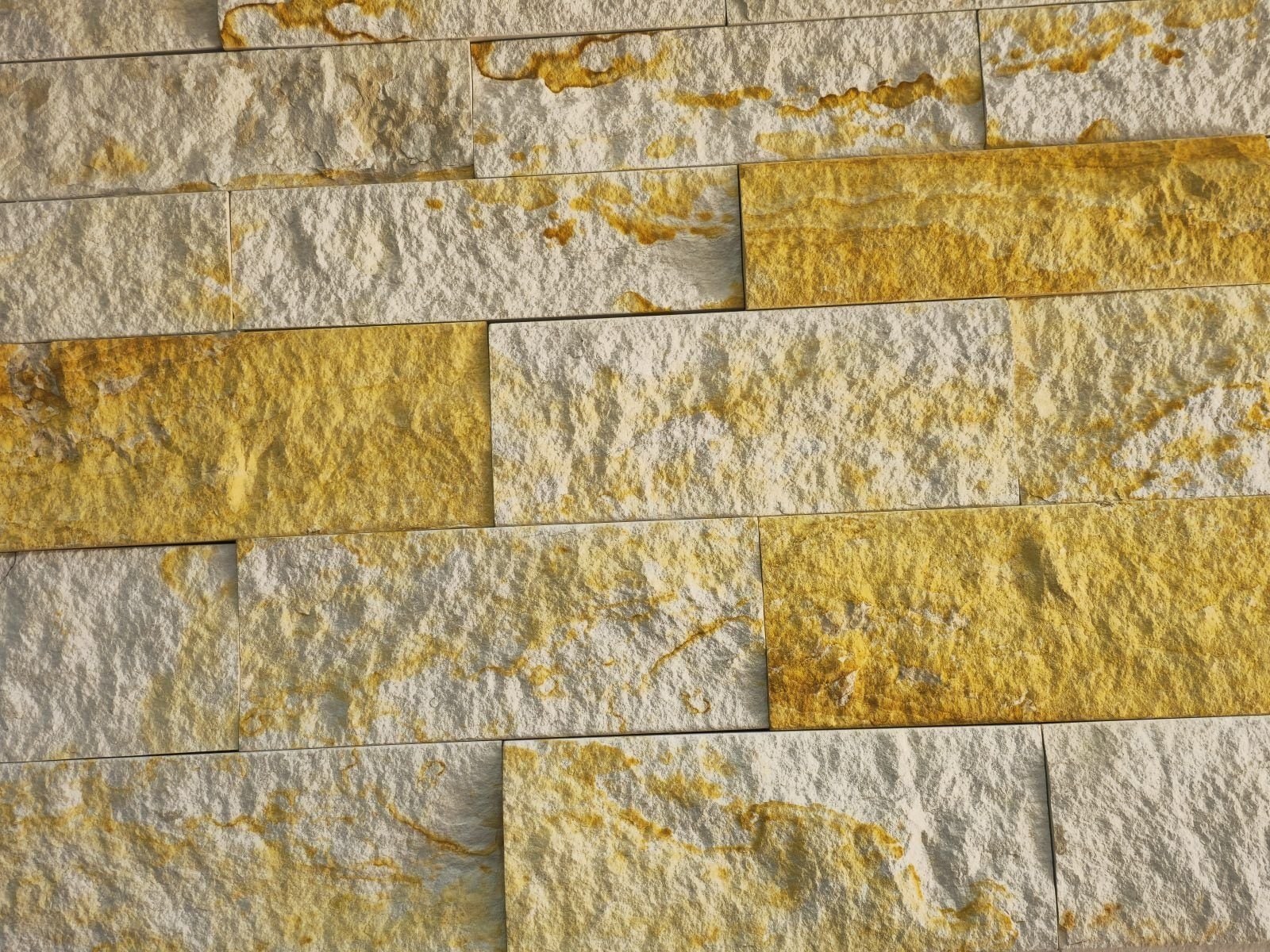
La Roca · Piedras y LajasWeb · Basic e-commerceLa Roca · Piedras y LajasSee the case →
I want this for my business →
02

Service 02 of 08

E-commerce

An lets you sell across the whole country while you keep running the physical one. We build it with a catalog organized around how your customer chooses, and product pages that explain items in plain words. Customers can pay by card, by wallet such as Apple Pay or Google Pay, with PayPal, or in four installments with Klarna, plus whatever method is standard where you sell. Behind the scenes there is a : the store holds the product while someone is paying, so two customers never buy the same unit, and if a payment fails, the cart stays there to try again. Once the purchase is confirmed, the emails go out and the order shows up on your , ready to ship.

+1EN CAMINO

Who it is for

Businesses with products that want to sell across the whole country without spending all day answering price questions in chat.

What is included

  • Catalog with search and filters by use
  • Payment by card, wallet, PayPal, or pay in four
  • Stock that holds while the customer pays
  • Cart that is saved if the payment fails
  • Automatic confirmation and shipping emails
  • Dashboard to upload products and track orders

How we do it

  1. 01

    We organize the catalog around how your customer chooses.

  2. 02

    We connect the payment methods and test every case, including failed payments.

  3. 03

    We launch, see where the purchase drops off, and fix it.

Real example

URG Technology is a Bogotá company with more than 20 years in tech service. We built the company a computer store with four payment methods and a private dashboard that runs the whole operation. Since many computers are one of a kind, the store holds them in turn and never lets two people pay for the same one.

URG TechnologyWeb · Pro e-commerceURG TechnologySee the case →
I want this for my business →
03

Service 03 of 08

Desktop software

, installed on the business's own computers, opens instantly and keeps working when the internet goes down. Your customers' information is not sitting at a web address that anyone can try to open. We deliver it with an installer, updates install the next time you open it, and backups happen without anyone needing to remember. This matters most when you handle sensitive data, like records on minors, and when your connection drops often and work cannot wait.

LISTO

Who it is for

Schools, academies, clinics, and offices that handle sensitive data or cannot stop working when the internet goes out.

What is included

  • Installable software for Windows
  • Works without internet and catches up when the connection returns
  • Automatic updates, no reinstalling
  • Scheduled backups
  • Users with different permission levels

How we do it

  1. 01

    We sit down with your team to see how they use the computer.

  2. 02

    We build the software and test it with real cases from your business.

  3. 03

    We install it, and from there updates arrive automatically.

Real example

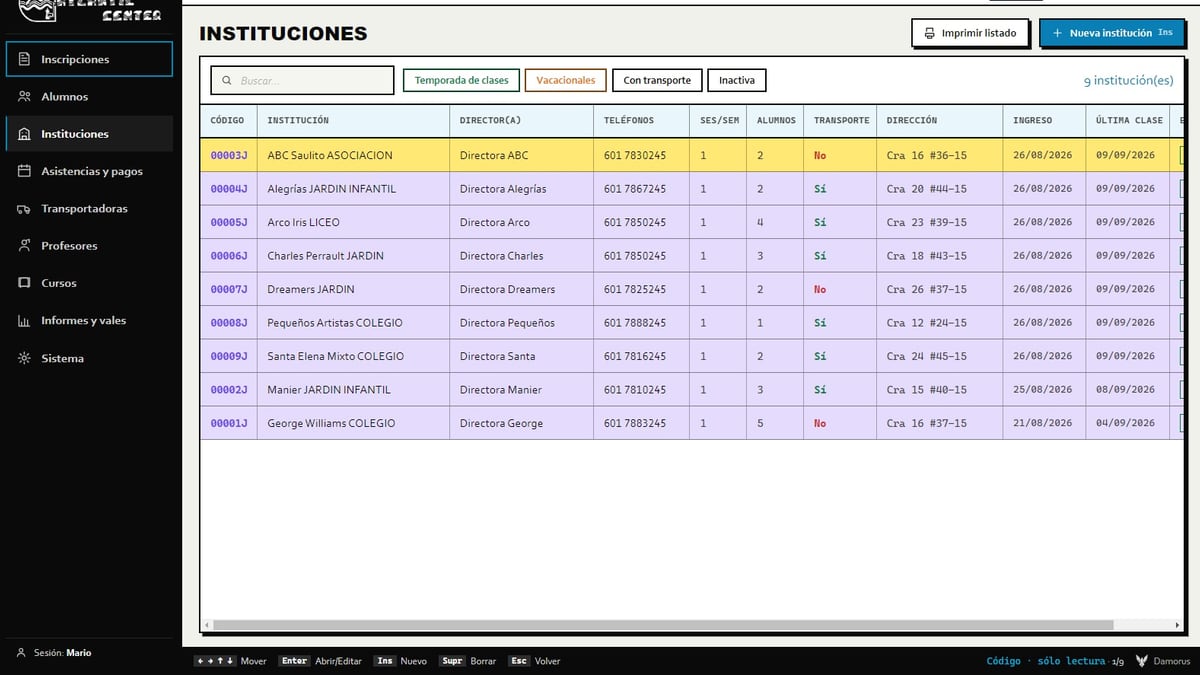
Atlantic Center, a swim school in Teusaquillo, chose desktop software to protect its students' data, many of them minors. It runs on two or more computers, works without internet, and updates on its own: from version 1.6 to 1.9.0, the improvements arrived without reinstalling anything.

Atlantic CenterCloud softwareAtlantic CenterSee the case →
I want this for my business →
04

Service 04 of 08

Cloud software (SaaS)

When several people or locations work from the same information, they should all see the same thing at the same time. That is what is for: what someone enters at the front desk shows up immediately in the back office, with no files sent over WhatsApp and no one asking where things stand. You log in from any authorized device, see how the business is doing, and the information is backed up off site. This is usually the next step once nobody can tell which version of the shared spreadsheet is the right one.

EN VIVO

Who it is for

Companies with several people, shifts, or locations that today reconcile information by passing files over WhatsApp.

What is included

  • Data synced in real time across devices
  • Access by user and by permission level
  • Cloud backup, stored off site
  • Check on the business from wherever you are
  • Room to add people or locations without rebuilding the system

How we do it

  1. 01

    We note who enters the data and who needs to see it.

  2. 02

    We put the information in one place in the cloud that every device reads from.

  3. 03

    We connect the devices and test that everyone sees the same thing.

Real example

At Atlantic Center, two or more computers work off the same live information. While one attends to a parent at the front desk, another reconciles payments, and if the internet goes down, the changes wait in line and sync on their own once the connection returns.

Atlantic CenterCloud softwareAtlantic CenterSee the case →
I want this for my business →
05

Service 05 of 08

Admin dashboards and command centers

An is the private side of the system, the part only you and your team see. There you check sales, orders, stock, and customers without jumping between chats and spreadsheets, and you change a price or a product without calling a developer. We organize it around your week's real tasks, like shipping, billing, or checking what came in, and we add alerts for what cannot wait: a payment to confirm or a product running low.

VENTASSTOCK

Who it is for

Owners and managers who today run the business between chats and spreadsheets.

What is included

  • Dashboard with the day's numbers
  • Manage products, orders, and customers
  • Change prices and content with no code
  • Alerts for what needs attention
  • Private, protected access

How we do it

  1. 01

    We note the decisions you make every week.

  2. 02

    We group the screens by task, in the order you use them.

  3. 03

    We deliver it with a guided walkthrough for your team.

Real example

URG Technology's private dashboard is split into four blocks (daily operations, customer management, intelligence and security, and settings). From there the owner creates product listings, confirms payments, and checks 31 metrics, each with a button that explains what it measures.

URG TechnologyWeb · Pro e-commerceURG TechnologySee the case →
I want this for my business →
06

Service 06 of 08

Legacy system migration

Many businesses run on old software that everyone knows by heart, but that only lives on one computer and that almost nobody knows how to fix anymore. We move it to a modern application without losing the stored history or the speed of the people who use it. First we open the old system and rescue its data. Then we keep what worked, like keyboard shortcuts and the order of the screens, so the team does not have to learn their own job again. The switch also brings backups and the chance to work on more than one computer.

DOSHOY

Who it is for

Companies running software from another era (DOS, Access, Excel with macros) that can no longer grow or connect to anything.

What is included

  • Rescue and cleanup of historical data
  • Study of how the old system was actually used
  • The team's shortcuts and habits preserved
  • System switch without stopping operations
  • Short training and follow up support

How we do it

  1. 01

    We read the old system table by table.

  2. 02

    We use that data to rebuild how your business actually runs.

  3. 03

    We make the switch alongside your team, until the old software can be turned off.

Real example

Atlantic Center ran for almost thirty years on a DOS program from 1996. Before designing anything, we read its .DBF files, which held 22,483 student records. The new system is still keyboard driven, and the 1996 software was retired without the staff having to change how they work.

Atlantic CenterCloud softwareAtlantic CenterSee the case →
I want this for my business →
07

Service 07 of 08

Apps for older adults and keyboard use

Some people distrust computers, and others have spent years working with only a keyboard. For them we design applications that make sense without memorizing anything, with real : large type and colors that always mean the same thing, like green for up to date and red for overdue. Everything that can be done with a mouse can also be done with the keyboard, just as fast. Actions that cost money, like deleting a payment, require a written reason before they go through, which prevents mistakes that are hard to trace later.

ENTERGUARDAR

Who it is for

Businesses with older staff or people less used to technology, and brands whose customers are 50 or older.

What is included

  • Full navigation by mouse and by keyboard
  • Status colors that stay consistent across the app
  • Large type and easy reading
  • Prevention of costly mistakes (deleting requires a reason)
  • Testing with the actual people who will use it

How we do it

  1. 01

    We watch how the person who will use it actually works.

  2. 02

    We design so they recognize what they see without having to remember steps.

  3. 03

    We refine it with their feedback until they can use it without asking for help.

Real example

The client at Atlantic Center put it simply: "so that even a child can understand it." In attendance tracking, each box turns green if the student showed up, red if they missed class, and gray until someone marks it, and all of it works with mouse or keyboard.

Atlantic CenterCloud softwareAtlantic CenterSee the case →
I want this for my business →
08

Service 08 of 08

Smart forms and lead capture

A good form brings you complete requests, ready to quote, without the back and forth of messages asking what was missing. We design them to ask for one piece of information at a time and explain what each question is for, because a single giant form on one screen scares people off. For someone in a hurry, we add shortcuts, like uploading photos instead of answering technical questions. Requests arrive organized in your or your inbox, and the customer gets confirmation right away.

ATAJO: FOTOS19

Who it is for

Businesses that quote before selling: repair shops, cleaning, construction, buying used equipment.

What is included

  • Step by step form with a progress bar
  • Shortcuts for customers in a hurry
  • Data validation as they type
  • Instant alert to the business and confirmation to the customer
  • Organized record of every request

How we do it

  1. 01

    We define what information you need to quote and what is extra.

  2. 02

    We order it from easiest to answer to most involved.

  3. 03

    We measure where people drop off and simplify that step.

Real example

"We buy your PC" at URG Technology is a nine step form that feels like a game. Anyone who does not want to answer technical questions taps Zero Stress, uploads three guided photos, and gets an offer to sell their computer or use it as a trade in.

URG TechnologyWeb · Pro e-commerceURG TechnologySee the case →
I want this for my business →

How we do it

A process, no mystery.

01

We look at how you sell

Before we design anything, we look at how your business runs today and what the new system needs to solve.

02

We show you a mockup

We build the screens and the steps your customer or your team will go through, and you see them before deciding anything.

03

We build and test

We build it piece by piece and test it on phone and computer, including the mistakes someone makes by accident.

04

We deliver and stick around

It goes live, we show you how to use it, and we keep adjusting it as your business changes.

Not just theory

Projects that prove it.

Is your business still running on spreadsheets or notebooks?

We build the website or software to replace it, with a mockup for you to see before deciding anything. Tell us how you work today.