Mercado Pago, Bre-B, Nequi: how to get paid in an online store in Colombia without losing sales
Payment gateway, instant transfer, or digital wallet: what each one does, what it demands from you, and how to combine them so no customer is left unable to pay. With what we learned building the checkout for URG Technology.
In Colombia, every customer pays the way they are used to: some with a card, others with a transfer from their bank's app, and many from Nequi. If your store does not accept the payment method that person has on hand, the sale dies on the very last step, right when they had already decided to buy. Every missing payment method is a lost sale.
But adding logos to your footer is not enough. While building URG Technology, a computer store in Bogotá, we learned a rule we now apply to everything: paying has to be as easy as choosing. In this guide we explain what each option is, what it demands from you, and how to combine them without turning your operation into chaos.
First, the map: gateway, instant transfer, and wallet
The three names in the title are not three versions of the same thing. They play different roles, and understanding the difference saves you from bad decisions:
- Mercado Pago is a payment gateway (a Latin American checkout provider that handles cards and other methods on your behalf). Your customer chooses in your store, pays inside Mercado Pago's own environment, and comes back to your site. With Checkout Pro, in Colombia it offers credit or debit card, a Mercado Pago account balance, PSE (Colombia's bank-transfer payment button, short for Pagos Seguros en Línea), and Efecty. [3]
- Bre-B is the Banco de la República's instant-payment system (Colombia's central-bank-run rail for real-time transfers). It went live in October 2025 and connects banks, wallets, and other institutions: money moves using a key (phone number, ID, email, or a code) or a QR code, at any hour. [1]
- Nequi is a digital wallet that takes part in Bre-B. From its app you can transfer to a key or pay with a QR code, and for businesses it offers a key and a QR of their own to receive payments from customers at other banks. [2]
Gateway: the payment confirms itself
The big advantage of a gateway is that confirmation is automatic. When Mercado Pago approves a payment, it notifies your store through something called a webhook, without anyone having to check the bank manually. Its documentation asks you to validate a signature to confirm the notice truly came from Mercado Pago, reply that you received it, and then query the payment to read its full status. If your server does not respond, the notice gets retried. [5]
The cost is the fee. In Colombia, Mercado Pago states that its amount depends on when you choose to have the money from your sales available, that it is only deducted once the charge is credited, and that there is no monthly fee. [4] Rates change, so check them on its own page before you set your prices.
Bre-B and Nequi: easy for the customer, work for you
For the customer, paying with Bre-B is simple: open your bank's app or Nequi, type in your key or scan your QR, and that is it. The Banco de la República reports that transfers between individuals have been offered at no cost to the end user, and that for payments to merchants the system applies tiered fees depending on the size of the business. [1] Ask your bank or wallet provider what it costs you to receive.
The hard part sits on your side: knowing which transfer matches which order. That is called reconciling. The Banco de la República itself lists alphanumeric keys, among the uses still to be developed, as a way to make reconciliation easier in e-commerce. [1] At URG we solved it with a proof of payment and a review inside the admin panel, as you will see below.
Also check the caps. Bre-B has a maximum amount per operation, and each institution can set additional limits; Nequi, for example, currently reports a cap of COP 3,000,000 per transaction using keys or QR. [1] [2] If you sell higher-priced products, offer a card too, or that customer will not be able to pay you in a single transfer through that channel.
How we solved it at URG: two paths and one single rule
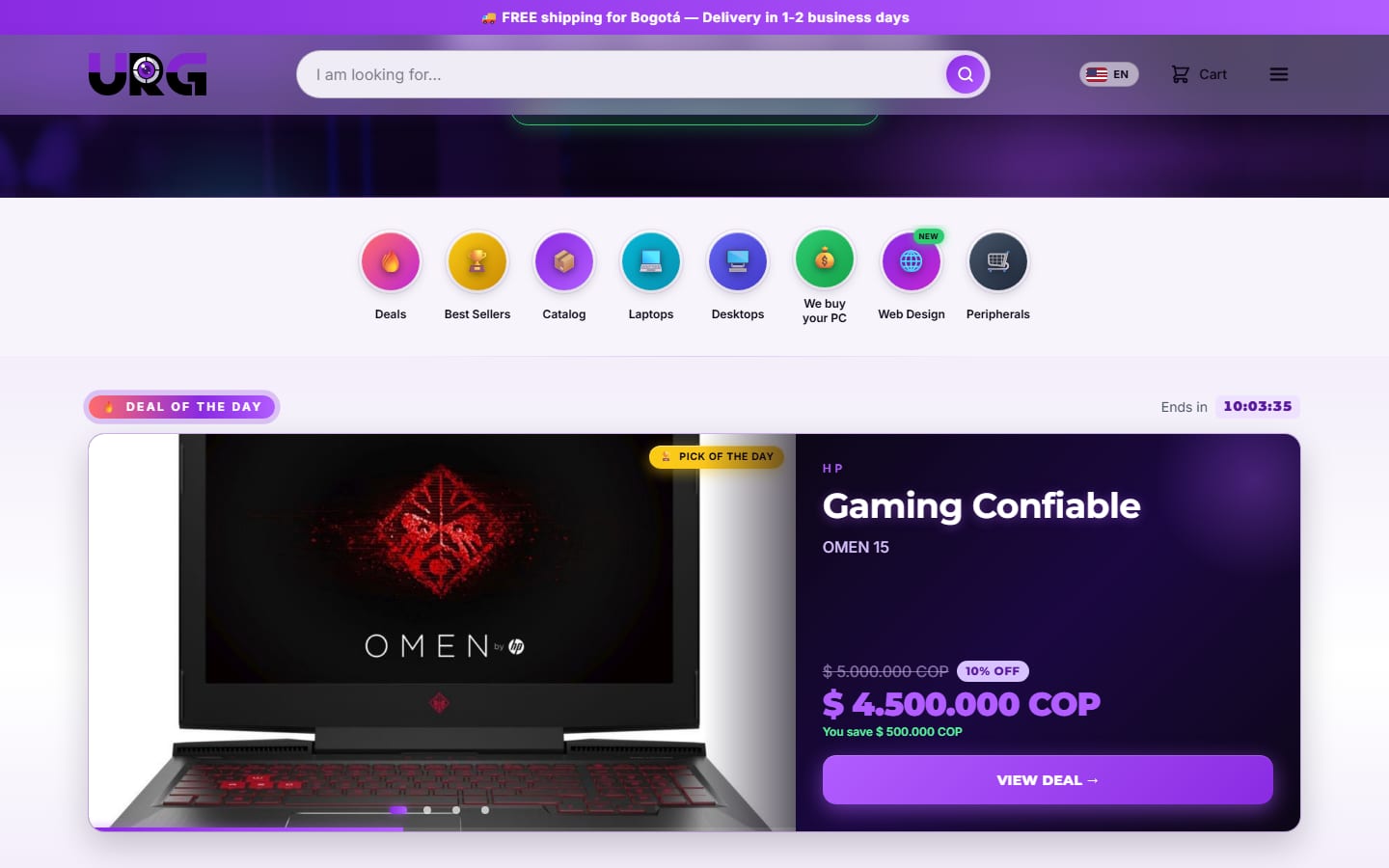
URG shows six ways to pay: Visa, Mastercard, and American Express cards, Nequi, Mercado Pago, and Bre-B. Under the hood, the charge is organized into two paths. Mercado Pago covers cards and account balances with instant confirmation. Bre-B works with a proof of payment: the customer sees the store's key and QR code, has 8 minutes to transfer and upload proof, and a traffic-light-style countdown shows how much time is left.
The unit stays on hold while an administrator validates that proof in the panel. If approved, inventory is deducted and the order goes out as a PDF; if rejected, the unit goes back into the catalog. Every attempt gets an order number formatted as YYMM-###X that is never deleted, and the order makes clear it is not an invoice: the electronic invoice is delivered with the product.
The rule that ties both paths together is simple: the payment is confirmed on the server, never in the browser. A screen that says "I already paid" proves nothing. At URG, Mercado Pago's notification reaches a cloud function that validates its origin, checks the real status of the payment, deducts stock, and fires off emails to the customer and the administrator. And opening the gateway reserves nothing: only a confirmed payment touches inventory. We explain why that matters so much in why your store should never sell the same product twice.
What makes you lose sales on the very last step
Having the right payment methods is half the job. The other half is making sure paying never feels like paperwork. These are the details we take care of at URG:
- Ask only for what is necessary. First and last name, ID number, phone, and email, with the option to invoice under a company name. Nothing more.
- Never scold the customer. If a field is missing, the page takes the customer straight to the first pending field and tells them what is missing.
- Zero surprises in the total. The summary shows shipping, coupons on their own line, and VAT (IVA) broken out. In Colombia, a computer worth up to 50 UVT, a Colombian tax unit (COP 2,618,700 in 2026), is exempt from VAT, and that cap is measured on what the customer actually pays, after any discount. Special cases go to your accountant.
- Time in plain sight. A visible countdown (on mobile it floats and can be dragged around) tells the customer how much time is left to transfer.
- A store that does not depend on someone being awake. A background process checks expired reservations every two minutes and releases Bre-B payments that did not get their proof uploaded in time.
Five questions to choose your payment methods
- 1How does your customer pay you today? If they already transfer and you confirm with screenshots, Bre-B with a proof of payment simply organizes what you are already doing.
- 2How much is your average ticket? If you sell above the per-transaction caps, offer a card, no question about it.
- 3Who confirms payments at midnight? A gateway confirms itself. A transfer with a proof of payment needs a review: decide who does it and how fast.
- 4How much does each sale cost you? Compare the gateway's fee against what your bank or wallet charges to receive, using your real prices.
- 5How are you going to reconcile? A unique order number per attempt, tied to the proof the customer uploads, saves you from hunting down transfers by hand.
In short: the gateway gives you automatic confirmation, Bre-B gives you speed, and Nequi gets you closer to people who manage their money from that app. The right combination depends on your ticket size, your customer, and who reviews payments. If you want to think it through with us, tell us about your project and we will tell you, straight up, how we would collect payments in your store.
Sources
References cited in the text with the [n] notation. Each link was verified and is publicly accessible.
- 1
Bre-B: Sistema de Pagos Inmediatos Interoperado de Colombia. Diseño, implementación y perspectivas (Banco de la República, febrero de 2026)
Technical paper from the Banco de la República: went live in October 2025, key types, 24/7 availability, a 20-second maximum per transfer, per-operation limits, fees, and e-commerce reconciliation. Primary source.
https://d1b4gd4m8561gs.cloudfront.net/sites/default/files/publicaciones/archivos/documento-tecnico-bre-b-febrero-2026.pdf - 2
Bre-B en Nequi: transfiere y recibe plata al instante (Nequi)
Official Nequi page: available keys, business key and QR, cost on Nequi, and the per-transaction cap for keys or QR (checked in September 2026).
https://www.nequi.com.co/personas/paga-con-nequi/bre-b - 3
Checkout Pro (Mercado Pago Developers, Colombia)
Official documentation: the buyer pays inside Mercado Pago's own environment and returns to the site; payment methods available in Colombia.
https://www.mercadopago.com.co/developers/es/docs/checkout-pro/overview - 4
Cobra con el checkout de Mercado Pago en tu sitio web (Mercado Pago Colombia)
Official page for sellers: what the fee depends on, when it is deducted, and the absence of a monthly charge. Current rates are checked there.
https://www.mercadopago.com.co/herramientas-para-vender/check-out - 5
Webhooks para Checkout Pro (Mercado Pago Developers, Colombia)
Official documentation: validating the signature of each notification, the response the server must give, retries, and the follow-up payment query.
https://www.mercadopago.com.co/developers/es/docs/checkout-pro/additional-content/notifications/webhooks
Know someone this helps? Share it.