Replacing a 1996 program without betraying the people who use it: Atlantic Center
Atlantic Center had spent almost thirty years running on a DOS program its staff knew by heart. Here is how I replaced it with a modern system without taking away their keyboard speed.
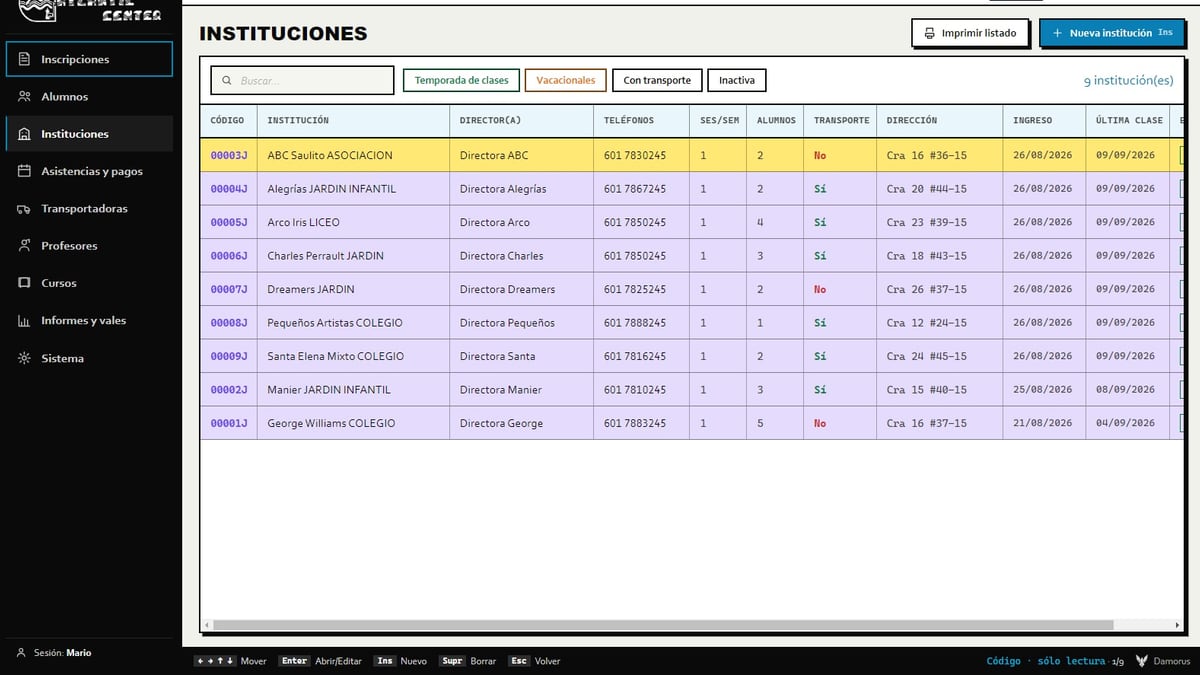
At a swim school in Teusaquillo, almost thirty years of administrative work ran through a blue screen. It was a custom program built in 1996: magenta listings, a red bar to select rows, and an all-caps menu. One of its screens still read PROTOTIPO 1996. Nobody had replaced it for a very simple reason: it worked.
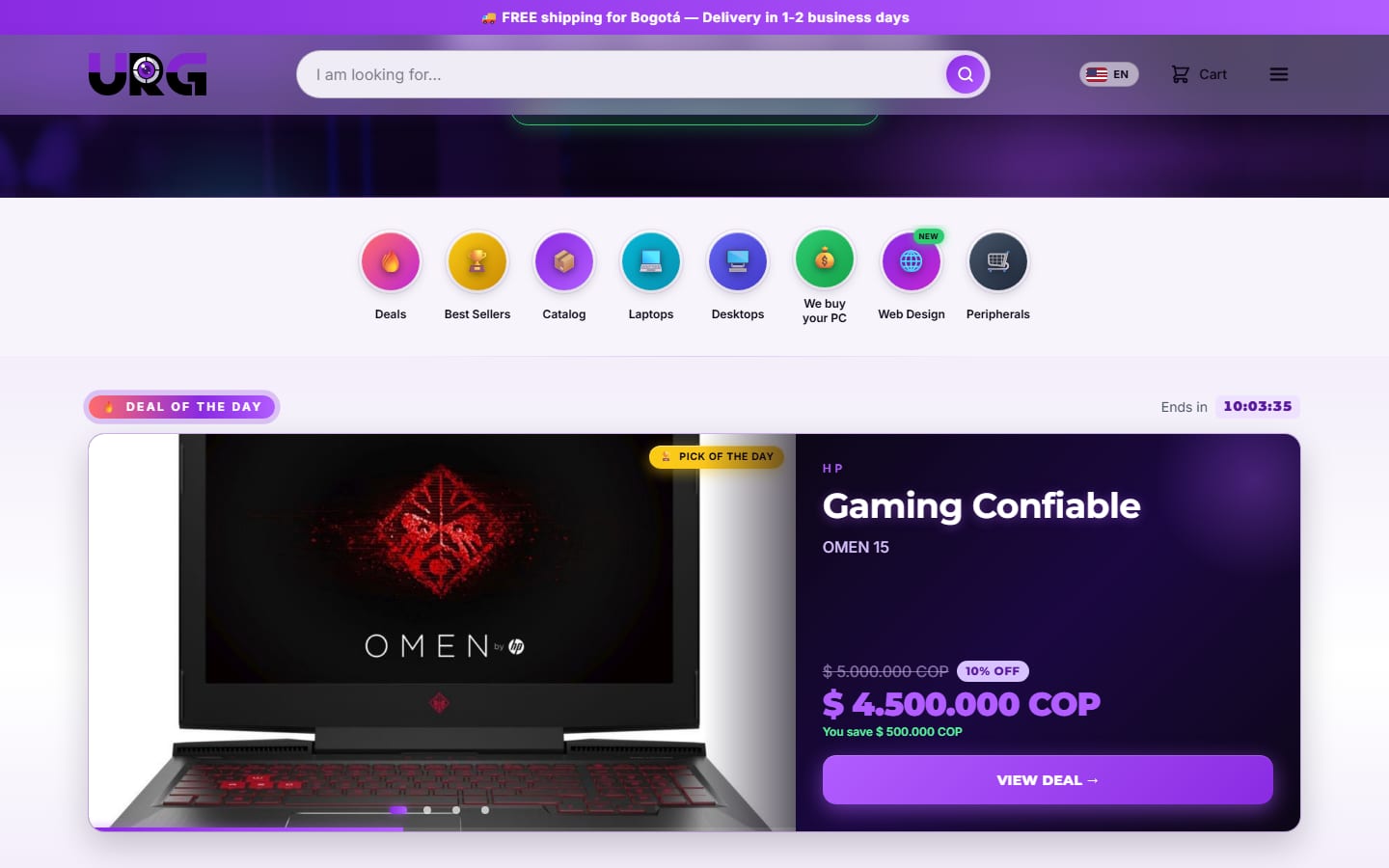
Atlantic Center was my first outside client. It came through URG Technology and became the first real trial with a business that was not mine: families, partner preschools, teachers, transport routes, and real money moving through the system every day. This is the story of how I replaced it without anyone feeling like their tool had been taken away.
The real risk was never technical
The staff barely touched the mouse. They flew through the keyboard: Ins to enter, Enter to continue, Esc to go back, at a speed only years of repetition can give you. That detail changed how I saw the project. I was not there to bring order to chaos. I was there to replace a tool people loved.
The underlying problem was serious enough. Everything lived on a single computer, so two people could never work on the same data at the same time. And there was no reliable backup: a damaged disk, a virus, a theft, or a lightning strike could wipe out the entire history of students, payments, and balances.
But the biggest risk was different: that the new program, however modern, would slow down someone who was already an expert. That is where three non-negotiable conditions came from:
- 1Never lose the keyboard speed.
- 2Work across several computers on the same data, live.
- 3Be trustworthy with families' money, without the owner having to fight with installations or updates.
Reading the old program before designing anything
The best interview with the business was not a meeting. It was the program itself. Screenshots of its screens gave me the real menu, the way people moved through it, and the client's own vocabulary: saldos ("balances"), ruta ("route"), jardín ("preschool"), vale ("voucher"), vacacional ("vacation program"). Every one of those words stayed in the new system, because changing someone's language also makes them slower.
Then came the data. The DOS tables were stored in .DBF files, and converting them revealed the real scale: 22,483 student records built up over the years. Something else showed up that shaped the design: the school recognized its partner institutions by name, not by a code. The new system inherited that same logic.
Senior-friendly, but deluxe
The client asked for it more than once, in almost these words: make it "as senior-friendly as possible." I pictured someone in their 50s or 60s who has no fondness for technology and should never feel, not even for one day, that the program is testing them. Far from limiting me, that phrase became the compass for every decision.
- Recognize instead of recall. Everything important stays in view, and every color means exactly one thing across the whole system: green means all is well, red means overdue or failed, amber means something half-done, and gray means pending.
- Expensive mistakes should be hard to make. Attendance always starts empty, and deleting a payment requires writing a reason. Wherever a slip could cost money, the system puts up a guardrail.
- Two ways to navigate. Whoever came from DOS keeps using their usual keys, with a shortcut bar under every screen as a nod to the old program. Whoever prefers the mouse does the same thing with clicks.
None of this was a nice gesture. It was the condition for the project to work at all.
Working even when the internet goes down
The client's vision was clear: both computers connected to the same information, everything still working without internet, and whatever was pending uploading itself once the signal came back. I designed it that way from day one, so I would not get boxed in later by a bad early decision.
Each computer works from its own copy, and the cloud exists to keep everyone in sync and hold a backup. If the connection drops, changes wait in a queue and go out on their own once it returns. And there is a rule that saved data more than once during testing: whatever one computer has that the cloud does not yet have is never discarded.
The mistakes that almost cost real money
No real project comes out clean, and this one did not either. Three stories taught me more than any manual could:
- The cursor that kept jumping. After checking a box on the roll-call screen, focus would jump back to the very first checkbox at the top. The client described it as "waaay too ANNOYING," and they were right: in a keyboard-driven program, the cursor is wherever the hand is. I replaced a one-off exception with a general rule, and focus stopped running away, on that button or any future one.
- The attendance that invented itself. The system treated any class with a past date as if it had already happened, generating no-shows and charges nobody had actually recorded. The root cause was confusing "time has passed" with "the event happened." Today attendance starts empty until someone actually sets it.
- The install inside iCloud. The client installed the program inside their iCloud folder, and when an update arrived, the program broke. I rebuilt the installer so it asks where to install and shows its progress.
Data the app cannot destroy
A school's history is not something to gamble with. The application has no permission to delete: when someone removes something, the program only marks it as deleted. Backups run in three layers, one of them off-site. And when the client asked for the database to move to an account of their own, it was transferred whole, with zero downtime. Today the data belongs to the client.
Where it stands today
The system runs every day at the school, on version 1.9.0, with about 390 active students, about 30 institutions and about 15 instructors. It runs on two or more synced computers, updates itself, and the 1996 program was retired without anyone having to give up their keyboard. The whole thing took about a month and a half, with a fast first delivery and continuous improvements after that.
It also has limits, and I say so openly. It has no code signature, so the first install shows a Windows warning. There is no parent portal and no public web version: the privacy of minors mattered more than the convenience of opening it from any browser.
What I took away from Atlantic
There was a moment, in the middle of the project, when I understood something about myself. I had taken a thirty-year-old program, read its tables, understood a business that was not mine, and on top of that had built, with Claude as a tool, a system that works without internet, syncs two computers, and protects a school's money. It was my wow moment: I can build almost anything.
The second lesson was less comfortable: never underestimate a project again. From the outside, modernizing a school's program sounds small. From the inside came synchronization, per-class rates, preschools sharing a time slot, the installer, the backups, and several one-line bugs with real money behind them.
“There is no such thing as an impossible challenge anymore.”
The third gives this article its title: a new tool earns trust when it lets people keep working the way they already knew how, just with more support behind them. If your business runs on a program nobody dares touch anymore, that is what we do in custom web and software. And if you want every decision in detail, it is in the full story of Atlantic Center.
Know someone this helps? Share it.
Photo: “Cornell Community Centre indoor swimming pool 2025” by Canmenwalker, CC BY 4.0, via Wikimedia Commons.